Guide · GitHub → Slack · Verified November 1, 2026
GitHub to Slack webhook guide
Short answer: One GitHub endpoint verifies each delivery, a destination filter keeps the events in this guide, and every match is delivered to Slack with its own retry schedule and delivery log.
Slack is where most teams already watch incidents. This combination turns one repository's @mention comments into channel posts, so the on-call rotation sees the ask without being added to GitHub — and the delivery log keeps the comment link that started it.
At a glance
1. Configure the GitHub webhook
- In the repository, open Settings → Webhooks → Add webhook and paste the endpoint's ingestion URL.
- Set Content type to application/json and paste the same signing secret the endpoint uses.
- Choose “Let me select individual events” and enable Issues, Issue comments, Pull requests, Pushes, Releases, and Workflow runs as needed.
- Open or label an issue to send the first delivery, then check the delivery log.
HMAC-SHA256 over the raw request body, compared in constant time. No timestamp header, so there is no clock-window check.
2. Filter to the events that matter
Filters run per destination before rendering, so a non-matching event is stored with no delivery and no agent call. The rules below are the difference between a useful pairing and a noisy one.
Filter: comments that mention the bot
{
  "allow": [
    { "field": "event.type", "op": "equals", "value": "issue_comment.created" },
    { "field": "event.subject.body", "op": "contains", "value": "@agent" }
  ],
  "senders": {
    "allow": { "associations": ["OWNER", "MEMBER", "COLLABORATOR"] }
  }
}
3. Configure the Slack destination
A Hooks Slack destination posts either to an incoming webhook URL already bound to a channel, or to chat.postMessage with a bot token and channel id so one app can reach many channels.
Destination: Slack chat.postMessage
{
  "mode": "chat",
  "token": "{{secret.SLACK_BOT_TOKEN}}",
  "channel": "C0123456789",
  "text": "GitHub {{event.repo}}{{event.subject.url}}"
}
Secrets enter configs only as {{secret.NAME}} references; literal credentials are rejected. Full Slack target guide
4. Verify the delivery and its retries
Send one real event from the source, then open Deliveries. A 2xx from the target means accepted, not finished. 408, 425, 429 and 5xx retry with backoff honoring Retry-After; other 4xx fail permanently with a named code. The rendered request is stored per attempt, so a bad field path is visible without re-sending.
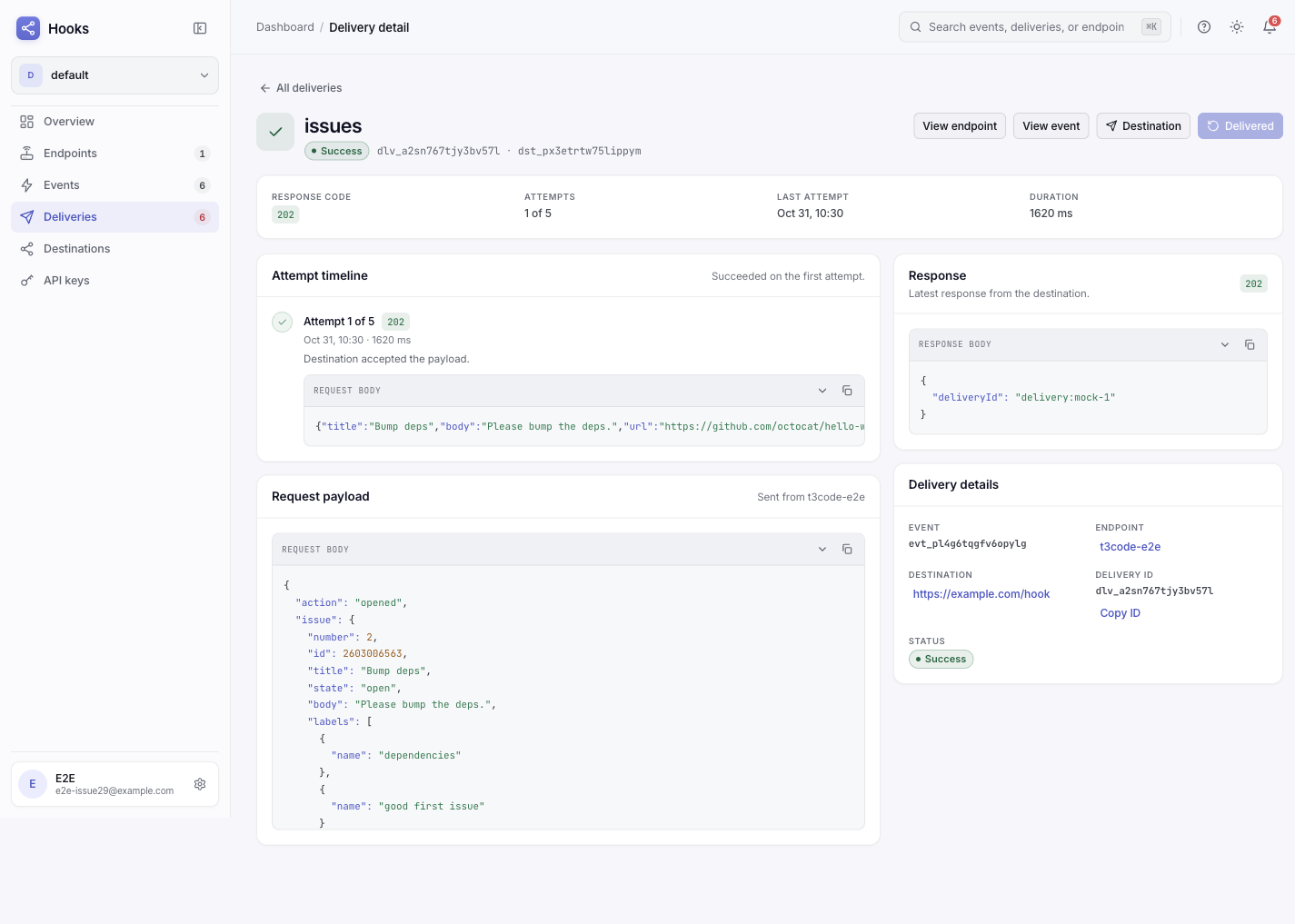
The pitfall this pairing hits
The Slack call succeeds with HTTP 200 and still fails. Slack returns 200 with {"ok": false, "error": "not_in_channel"} when the bot was never invited. Hooks records SLACK_ERROR and names Slack's error string, so read the attempt body before assuming the channel is wrong.
Frequently asked questions
Do I need one endpoint per source or one per destination?
One endpoint per source. Each destination under that endpoint carries its own filter, template, retry schedule, and delivery log, so the same event can feed several targets without duplicate ingress URLs.
What happens while the target is down?
Retryable failures back off and retry within the destination's window; permanent 4xx failures stop immediately. Either way, the original event stays stored, so after fixing the target you replay the event instead of asking the source to send it again.
The Slack call succeeds with HTTP 200 and still fails
Slack returns 200 with {"ok": false, "error": "not_in_channel"} when the bot was never invited. Hooks records SLACK_ERROR and names Slack's error string, so read the attempt body before assuming the channel is wrong.